 OpenSFTP
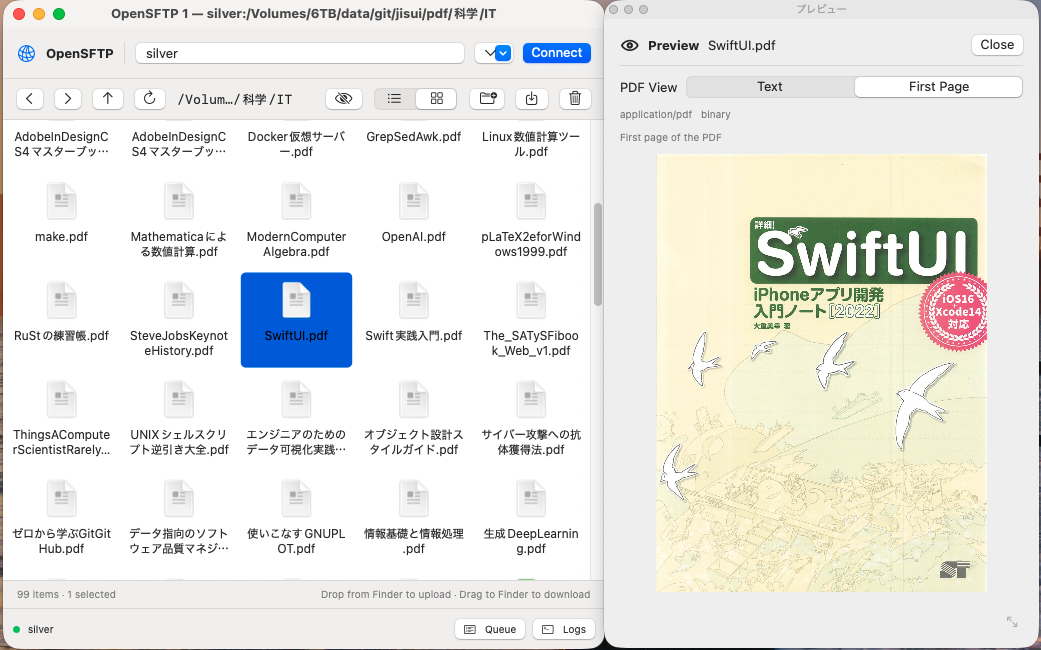
OpenSFTP is a macOS app for browsing, transferring, and managing files on servers using your existing OpenSSH configuration. Use Finder to manage local files, and drag files and folders between OpenSFTP and Finder to transfer them.
Key features:
- Connect using macOS’s standard SSH configuration and public-key authentication, without managing separate connection settings in the app.
- Browse remote files with familiar Finder-style controls, and drag and drop to upload and download.
- Preview supported files within the app.
- Copy files between servers.
- Use SFTP for transfers, with rsync also available for folder transfers.
- Manage multiple transfers in a queue and follow their progress and execution logs.
- Inspect the open-source code to verify that it contains no functionality that sends sensitive information to external services.
Build the app from source on your Mac. This documentation covers installation, connection setup, basic operations, and troubleshooting.
- Installation and connection
- Browsing and file management
- Transfers
- File previews
- Settings
- Troubleshooting
Development
Katsutoshi Seki develops OpenSFTP and releases it under the MIT license.
To customize the app to your preferences with an AI coding agent, use this repository as the agent’s working directory.
The project does not accept pull requests, but bug reports and suggestions for changes are welcome through GitHub Issues.